

Talk to it
Say the rule.See it on areal student.
Tell Nexar Schedule your rules and your changes the way you would tell a colleague, typed or out loud. Each rule is shown on a real student from your own data before it is used, and each change comes back with a verdict.
Being built now by Nexar Labs. Typed and spoken requests are in the first pilot.
In short
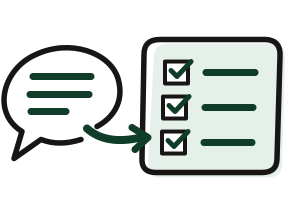
- You saya rule or a change, typed or spoken
- AI understandsand reads it back in plain words
- You confirmon a real student from your data
- Code checksevery student, every rule
The AI never invents a timetable or a number.
Telling a tool what you want, as it runs today.
You know the rule. The tool wants a form.
Settings and forms
A rule you can say in one sentence, spread across three screens of options.
Lost in translation
The setting did not mean what you thought, and you find out from the timetable.
Changes by hand
A hall closes, and you move the exams one by one and check each again.
One expert
Only the person who set the tool up knows how to change it.
How it works.
In order, with what is in the first pilot.

- Say it
- Type it or say it: “No student sits more than one exam a day.”
- See it read back
- The rule comes back as a plain sentence, with one real student from your data that it would affect.
- Confirm it
- A rule counts only after you confirm it.
- Ask for a change
- “Hall A is closed on Tuesday.” The timetable is reworked, and comes back with a verdict.
- What decides
- The AI understands the request. An optimiser builds the timetable, and an independent checker tests every student against every rule.

Sample university, made-up data.

Sample university, made-up data.
From the app preview, on a made-up sample university. A preview of the product being built, not the finished product.
A rule, read back on a real student.
The Rules screen of the app preview shows the read-back: each rule as a sentence, with one example from the data and a Confirm button. Typing and speaking a rule are being built.
From the app preview, on a made-up sample university. A preview of the product being built, not the finished product.


Each rule as a sentence, with one example taken from the data and a Confirm button.
All six rules confirmed, with the exams that set the limit on the number of days named beside them.
What you will be able to do.
Split honestly: what the first pilot will include, and what is outside it.
In the first pilot
- Rules typed or spoken in plain words.
- Each rule shown on a real student from your data before it is used.
- Changes asked in words, with a verdict on the result.
- Voice input.
What the AI never does
- Invent a timetable.
- Invent a number.
- Decide whether a timetable is valid.
Questions about this.
Is the AI deciding our timetable?
No. AI reads your files and understands what you ask. The timetable is built by an optimiser, and an independent checker in plain code tests every student against every rule. The AI never invents a timetable or a number.
What if it misunderstands me?
Every rule is read back in plain words with a real student from your data, and it counts only after you confirm it. AI models from different families cross-check what was read.
Do I have to speak to it?
No. Typing works the same way. Voice input is in the first pilot for those who want it.
Start with last season.
It costs nothing.
Send the files from last season and the timetable you published. We check it candidate by candidate, rework it on the same days and rooms, and send one page back.
Free. No purchase, no switch, no installation. Being built now by Nexar Labs.
What a shadow run needs from you
- Examscode, title, length
- Enrolmentscandidate number, exam code
- Roomsname, seats
- The timetable you publishedexam, date, time, room
As your system exports them. Candidate numbers, not names. The adjustment, never the reason for it.