

Bring any file
Your export,as it is.No template.
Nexar Schedule will read the spreadsheet or CSV your system already exports. You are shown what was understood from each file, asked about anything unclear, and given a list of what was read but not used. Nothing is scheduled until you confirm.
Being built now by Nexar Labs. Spreadsheet and CSV files are in the first pilot.
In short
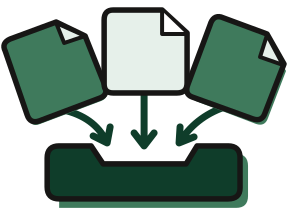
- Filesspreadsheet or CSV, as exported
- Read backeach table, and what each column means
- Askedwherever a column or a code is unclear
- Confirmedby you, before anything is scheduled
PDF files in and out come after the first pilot.
Getting data in, as it runs today.
Before any timetable, a week of tidying.
Someone else’s template
Cleaned, retyped and reshaped before any tool will read it.
Messy, and normal
Merged headers, a title row, two tables on one sheet. Ordinary in an export, fatal to an import.
Silent guesses
A tool reads a column the wrong way, or drops one, and says nothing.
Done twice
The same tidying again for the resit period.
How it works.
In order, with what is in the first pilot.

- Send it as it is
- Exams, enrolments, rooms and adjustments, on one sheet or several.
- See what was read
- Each table found is marked, with the meaning given to each column.
- Answer the questions
- Where something is unclear you are asked, for example whether “TR” means Tuesday and Thursday.
- See what was left out
- A list of what was read but not used, so nothing disappears quietly.
- Confirm
- Nothing is changed silently, and nothing is scheduled until you say the reading is right.
A sheet, read back to you.
The tables found on the sheet are boxed, each column has its role above it, and a question waits wherever the reading is unsure.
From the app preview, on a made-up sample university. A preview of the product being built, not the finished product.


The exams sheet as it arrived, with the table found on it boxed and one question waiting: are “3h” and “2h” lengths in hours?
The app preview also reads a PDF list of names. PDF files come after the first pilot.
What you will be able to do.
Split honestly: what the first pilot will include, and what is outside it.
In the first pilot
- Spreadsheet and CSV exports, as they come.
- Each file read back, with what was understood from it.
- Questions on unclear columns and codes, answered by you.
- A list of what was read but not used.
Later
- PDF files in and out.
- Links to student record systems.
Questions about this.
Our export is messy: merged headers, several tables on one sheet. Is that a problem?
That is the normal case, and the reason intake is being built first. You will be shown what was understood from each file, asked about anything unclear, and given a list of what was read but not used.
Do we have to fill in a template?
No. Send the files as your system exports them.
Is AI reading our files?
AI reads the layout of a messy file, models from different families cross-check what was read, and you confirm it. No model decides whether a timetable is valid: that is one checker, written in plain code.
Start with last season.
It costs nothing.
Send the files from last season and the timetable you published. We check it candidate by candidate, rework it on the same days and rooms, and send one page back.
Free. No purchase, no switch, no installation. Being built now by Nexar Labs.
What a shadow run needs from you
- Examscode, title, length
- Enrolmentscandidate number, exam code
- Roomsname, seats
- The timetable you publishedexam, date, time, room
As your system exports them. Candidate numbers, not names. The adjustment, never the reason for it.